Best Fax Apps for Android (2026): Find the Right App for Your Needs
Reviews
Best Android Fax App
There's no shortage of Android fax apps, with most online fax services offering their own mobile experience. The downside is that not every app delivers the same experience, making it difficult to find the best fax app for Android. We put the top options to the test and narrowed them down based on features, pricing, security, and overall usability, making it easier to choose the right app for your needs.
How We Tested Each Android Fax App
To keep our rankings fair and consistent, we evaluated every Android fax app using the same review criteria. Rather than relying on app store ratings alone, we looked at how each app performed in real-world use—from setting up an account and sending the first fax to managing documents over time.
Ease of use
A good fax app should help you send documents quickly without requiring a tutorial. We looked for apps with straightforward setup, intuitive navigation, and an interface that keeps the faxing process simple.
Security
Whether you're faxing contracts, medical records, or business documents, your information should remain protected. We assessed each app's encryption, document handling, and privacy practices to determine how well it safeguards user data.
Reliability
We expected every app to deliver faxes consistently without crashes, delays, or failed transmissions. Apps that performed reliably across repeated tests earned higher rankings.
Pricing
We evaluated whether each app offers fair value for its price by comparing plan flexibility, included features, free trials, and overall transparency.
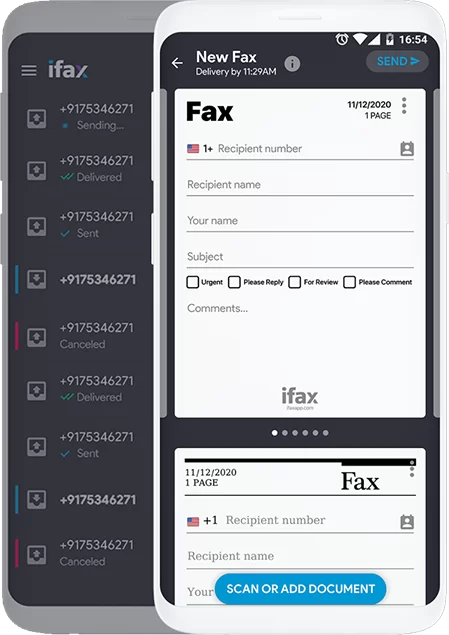
iFax impressed us with how refined the overall experience feels. From setup to sending documents, everything is intuitive, and the app includes thoughtful features that make mobile faxing more efficient. It's an excellent fit for professionals who need a dependable fax solution.
What stood out:
Easy to get started. Downloading the app, creating an account, and sending a first fax takes just a few minutes. The interface is clean and intuitive, making it easy to navigate even for first-time users.
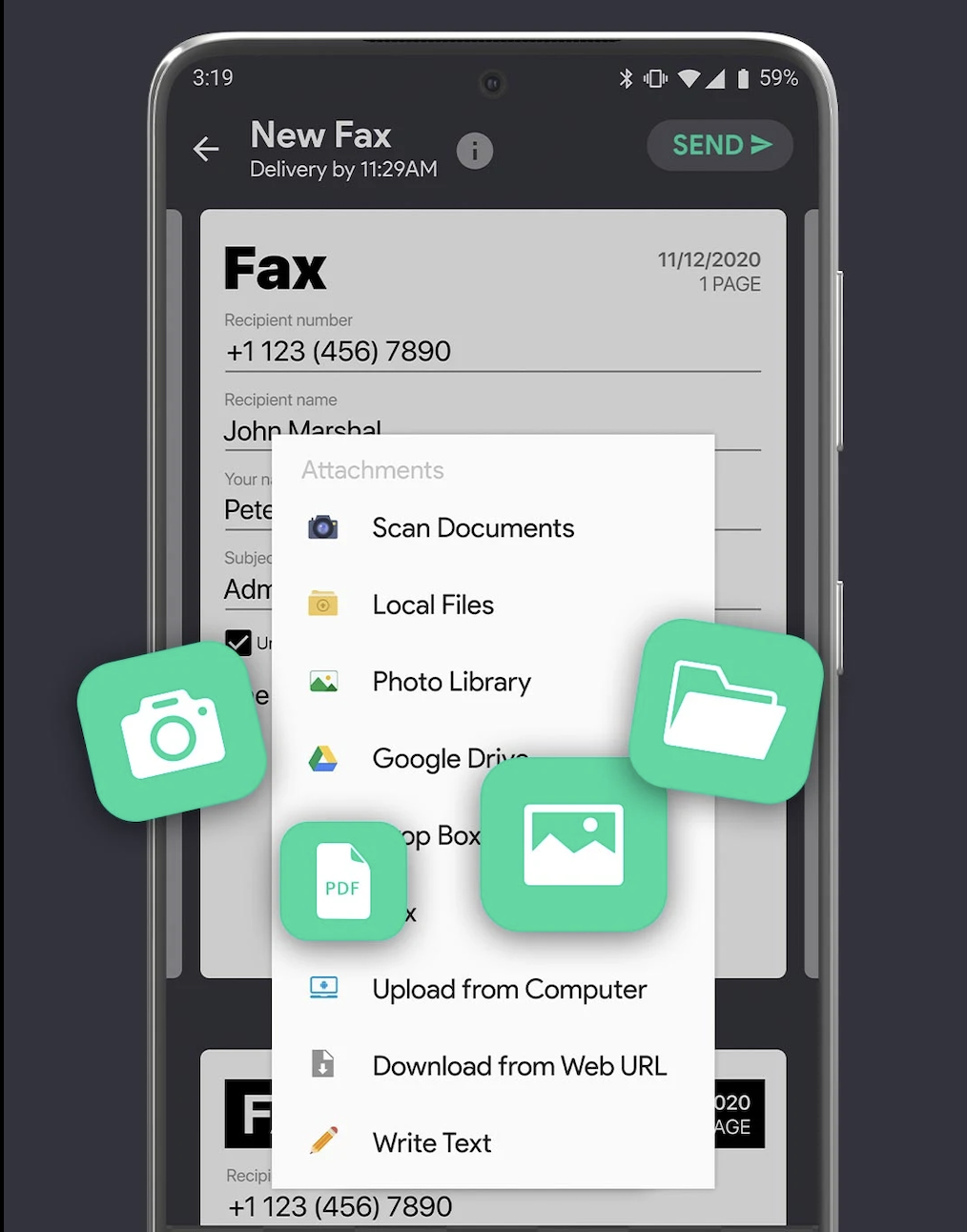
Built-in document scanner. You can scan, crop, and enhance documents without leaving the app, making it quick to prepare paperwork for faxing.
Business-grade security. iFax protects documents with 256-bit AES encryption and supports compliance standards such as HIPAA, making it a strong choice for handling sensitive information.
Useful cloud integrations. The app connects with services like Google Drive and Dropbox, so importing documents is quick and doesn't interrupt your workflow.
Extra productivity features. Electronic signatures, customizable cover pages, and other built-in tools make iFax more than just a basic fax app.
Things to consider
iFax is designed with business users in mind, and its pricing reflects that. If you only send the occasional fax, you may not get enough value from its premium features. However, frequent users will likely appreciate the added functionality and security.
Fax.xyz is designed to make it easy to send a fax from Android, and it succeeds by focusing on the essentials. The app offers a clean interface, quick setup, and the core features most users need, making it an excellent option for individuals and small businesses that value simplicity over complexity.
What stood out:
Designed for mobile-first faxing: Fax.xyz feels like an app built specifically for Android rather than a desktop fax service adapted for mobile. The interface is clean, responsive, and easy to navigate.
Fast document preparation: Capturing, scanning, and uploading documents is quick, making it easy to send a fax without switching between multiple apps.
Keeps you informed: Real-time delivery notifications and a detailed fax history make it easy to track the status of every document you send or receive.
Built for sensitive documents: Encryption and HIPAA compliance provide peace of mind when faxing medical records, legal paperwork, or other confidential files.
Great value for everyday users: With a free trial and reasonably priced plans, Fax.xyz offers a good balance of features and affordability for individuals and small businesses.
Things to consider
Fax.xyz focuses on delivering a streamlined faxing experience rather than an extensive feature set. While that makes it easy to use, organizations looking for advanced workflow tools or enterprise-level integrations may find it more limited than some competitors.
MetroFax
MetroFax earned its place on our list of the best fax apps for Android by focusing on the fundamentals. During our testing, the app consistently delivered a reliable faxing experience, and while the interface feels a little dated, it remains an easy option for everyday use.
What stood out
Straightforward faxing experience: Sending a fax is simple: just attach a document or scan one with your phone's camera, enter the recipient's fax number, and you're ready to go.
Built for mobile use: The Android app lets you send and receive faxes wherever you are, eliminating the need for a traditional fax machine or desktop setup.
Good value for regular users: MetroFax offers generous page allowances across its subscription plans, making it a cost-effective choice if you send faxes on a consistent basis.
Things to consider
Although MetroFax handles everyday faxing well, its interface feels a bit dated compared to newer Android fax apps. The core functionality is reliable, but the overall user experience isn't as polished as some of the other options on this list.
MyFax
MyFax delivers a familiar and dependable faxing experience without overcomplicating things. During our testing, the app handled the essentials well, making it easy to prepare, send, and manage faxes from an Android device. It's a solid choice for users who value reliability and broad file compatibility over advanced business features.
What stood out
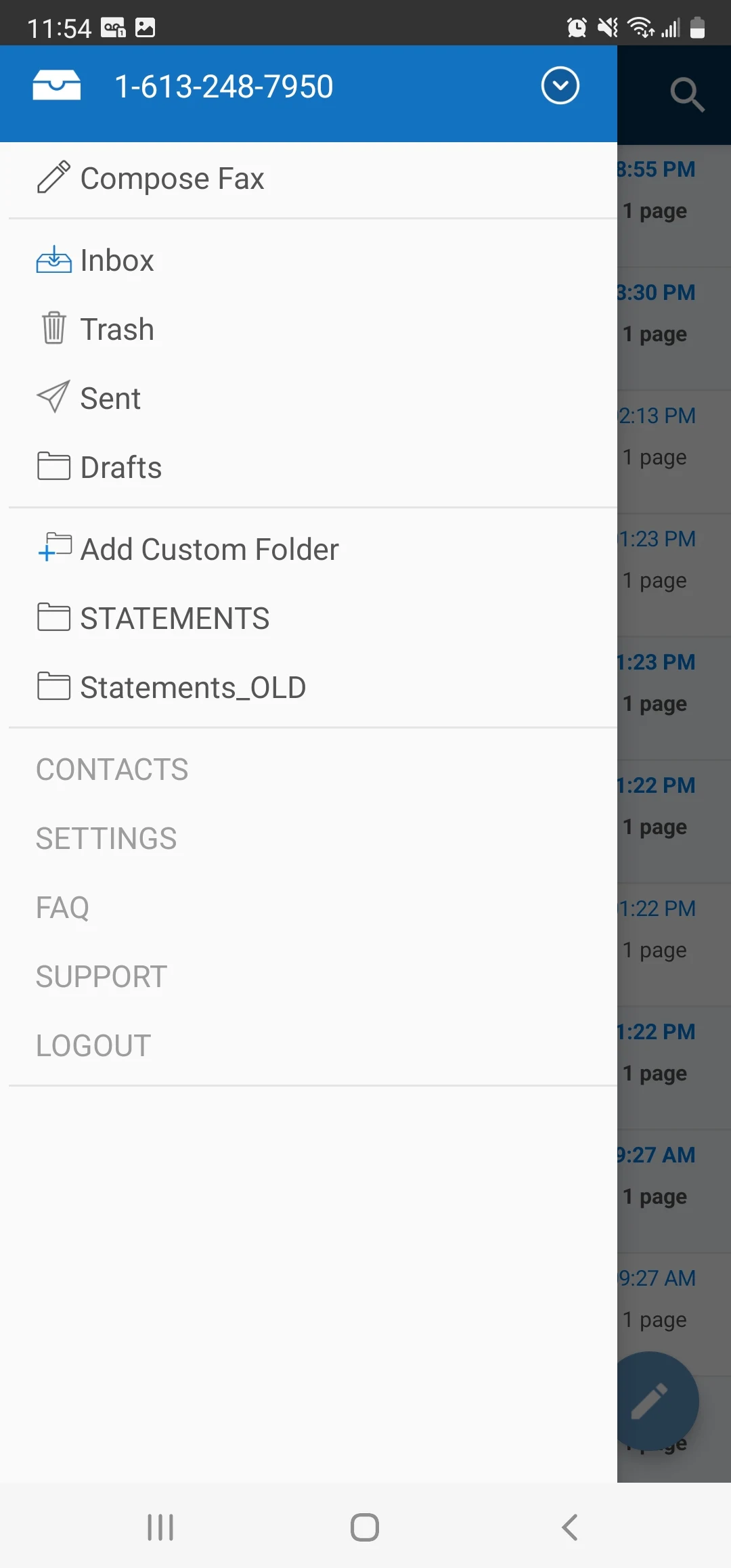
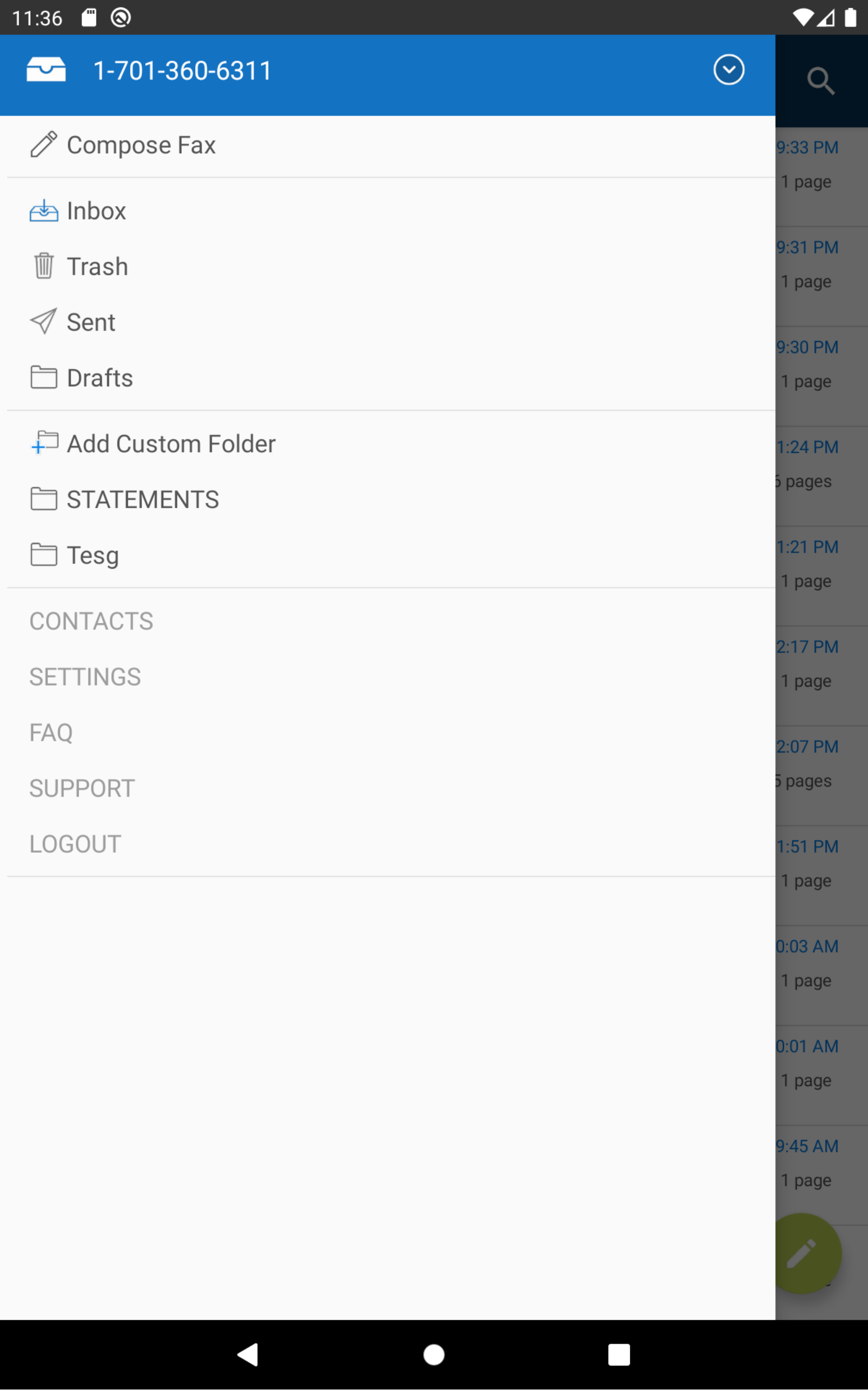
Simple fax workflow: Sending a fax is straightforward. From the main inbox, you can add recipients, complete a cover page, attach documents, and send everything in just a few steps.
Built-in document capture: The app lets you scan paper documents using your phone's camera, making it easy to fax physical paperwork while you're away from the office.
Wide file format support: MyFax accepts more than 150 file types, including PDFs, Word documents, spreadsheets, and images, so you won't have to convert files before sending them.
Handles multiple attachments: You can attach up to 10 files to a single fax, which is useful when sending longer reports, contracts, or supporting documents.
Things to consider
MyFax focuses on delivering a reliable faxing experience rather than enterprise-grade functionality. While it covers the essentials well, users who need advanced compliance features or specialized security controls may find other business-focused fax services better suited to their needs.
WiseFax
WiseFax stood out for its flexible approach to mobile faxing. Whether you only need to send the occasional fax or prefer the convenience of a subscription, the app offers multiple pricing options without overcomplicating the experience. During our testing, we found it easy to navigate, quick to use, and well suited for users who value simplicity.
What stood out
Flexible payment options: WiseFax offers both pay-as-you-go credits and subscription plans, giving users the freedom to choose the pricing model that best fits their faxing needs.
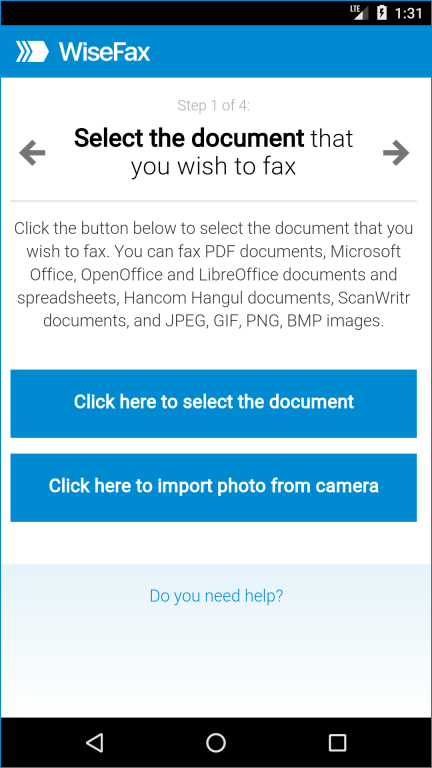
Simple faxing workflow: Upload a document from your device or scan one using your phone's camera, preview the pages, enter the recipient's fax number, and send—all in just a few steps.
Transparent pricing: The app clearly displays the cost before you send a fax, helping you avoid unexpected charges.
Delivery confirmations: Email notifications let you know when your fax has been successfully delivered, providing extra peace of mind for important documents.
Things to consider
WiseFax focuses on making mobile faxing simple and accessible. While it covers the essentials well, users who need advanced collaboration tools or enterprise-focused features may find other apps on this list better suited to their workflow.
Frequently Asked Questions About Android Fax Apps
Is there a free fax app for Android?
Most Android fax apps are free to download from the Google Play Store, but you'll typically need a paid plan or credits to send a fax from Android. This is because online fax services incur transmission costs, which are usually covered through subscriptions or pay-as-you-go pricing.
If you're looking to try a service before committing, Fax.xyz offers a free trial that lets you send faxes at no cost for a limited time. It's a convenient way to test the app's features and overall experience before choosing a paid plan.
Can I receive faxes on an Android phone?
Many online fax services allow you to receive faxes on your Android phone by assigning you a dedicated fax number. Incoming faxes are delivered directly to the app or your email, making them easy to access wherever you are.
Do I need a subscription to fax from Android?
Not always. While many Android fax apps offer monthly or annual subscription plans, some also provide pay-as-you-go pricing or free trials. The best option depends on how often you need to send or receive faxes.
How to Choose the Best Fax App for Android
The best Android fax app ultimately depends on how you plan to use it. Some apps are better suited for occasional faxing, while others offer advanced features, stronger security, or business-focused tools for users who send documents regularly. Taking the time to compare pricing, features, and ease of use can help you find the right fit for your workflow.
Whichever app you choose, mobile faxing offers a convenient way to send and receive documents without relying on a traditional fax machine. With the right app, you can manage everything directly from your Android device—whether you're handling business paperwork, legal documents, or everyday forms.





.svg)