Looking for the best fax app to handle your mobile faxing needs? With so many options available, choosing the right one can feel overwhelming. Instead of testing dozens of tools yourself, we did the work for you.
Below are the best phone fax services available today.
How We Rated Each Mobile Fax App
Mobile faxing should be simple, reliable, and fast. But with so many apps on the market, it’s important to know which ones are worth downloading. For this guide, we focused on three key factors:
Compatibility
We checked whether the app is available on both iOS and Android, ensuring it works seamlessly across major mobile platforms.
Ease of Use
We evaluated how intuitive the app is, including setup, navigation, and how quickly users can send or receive a fax.
Security & Privacy
We assessed whether the app encrypts faxes, protects sensitive information, and complies with privacy regulations such as HIPAA when applicable.
Cost & Pricing Structure
We analyzed subscription plans, pay-per-fax options, and the overall value for occasional and frequent users alike.
Advanced Features
We noted extra functionality such as multi-page faxing, scheduled faxes, digital signatures, and customizable cover pages.
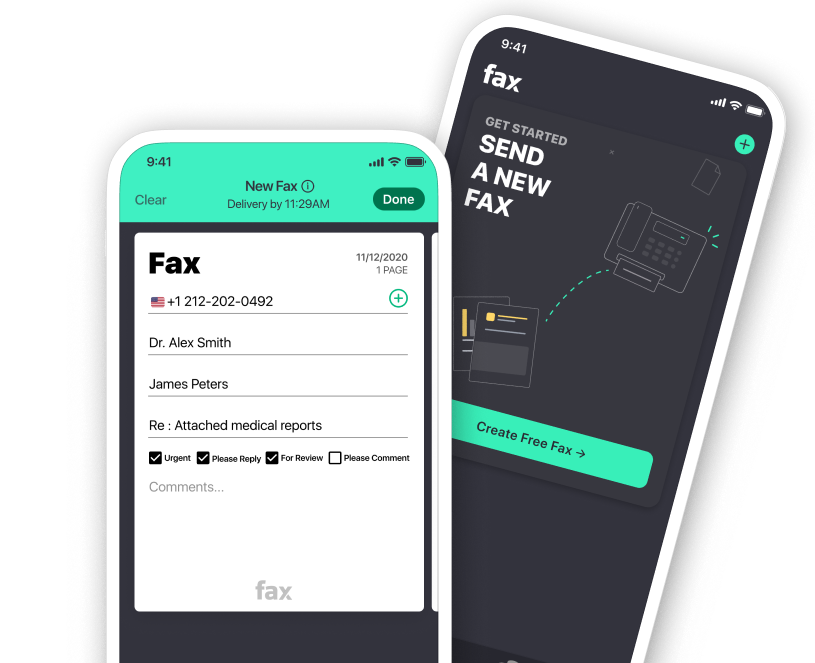
Topping our list of the best fax app options is Fax.xyz. It stands out as a fast, modern mobile fax solution that’s extremely easy to get started with, making it a strong choice for both beginners and professionals who need reliable faxing on the go.
Once you install the app, the experience is designed to be as frictionless as possible. From setup to sending your first document, everything feels streamlined and intentionally simple.
Easy setup and instant access
The app is free to download on both iPhone and Android, so you can get started right away.
Setup takes just a few minutes, with no complicated configuration required.
You can send your first fax almost immediately after installation.
Clean and intuitive mobile interface
The interface is clean and easy to navigate, even for first-time users.
Labels are clear, so key features are easy to find.
The layout keeps everything simple and reduces the learning curve.
Fast and simple fax sending
You can scan documents using your phone camera or upload files directly.
Sending a fax only takes a few steps: choose a file, enter details, and hit send.
Uploads and processing are optimized for speed, so there’s little waiting time.
Secure document handling
Documents are protected with strong encryption during transmission and storage.
The app supports HIPAA compliance for handling sensitive data.
It’s suitable for professional use in healthcare, legal, and business settings.
Flexible pricing with solid value
Plans start at around $8.33 per month, placing it in the mid-range.
Pricing reflects the app’s balance of speed, usability, and security.
It’s a cost-effective choice if you want a reliable best fax app without enterprise pricing.
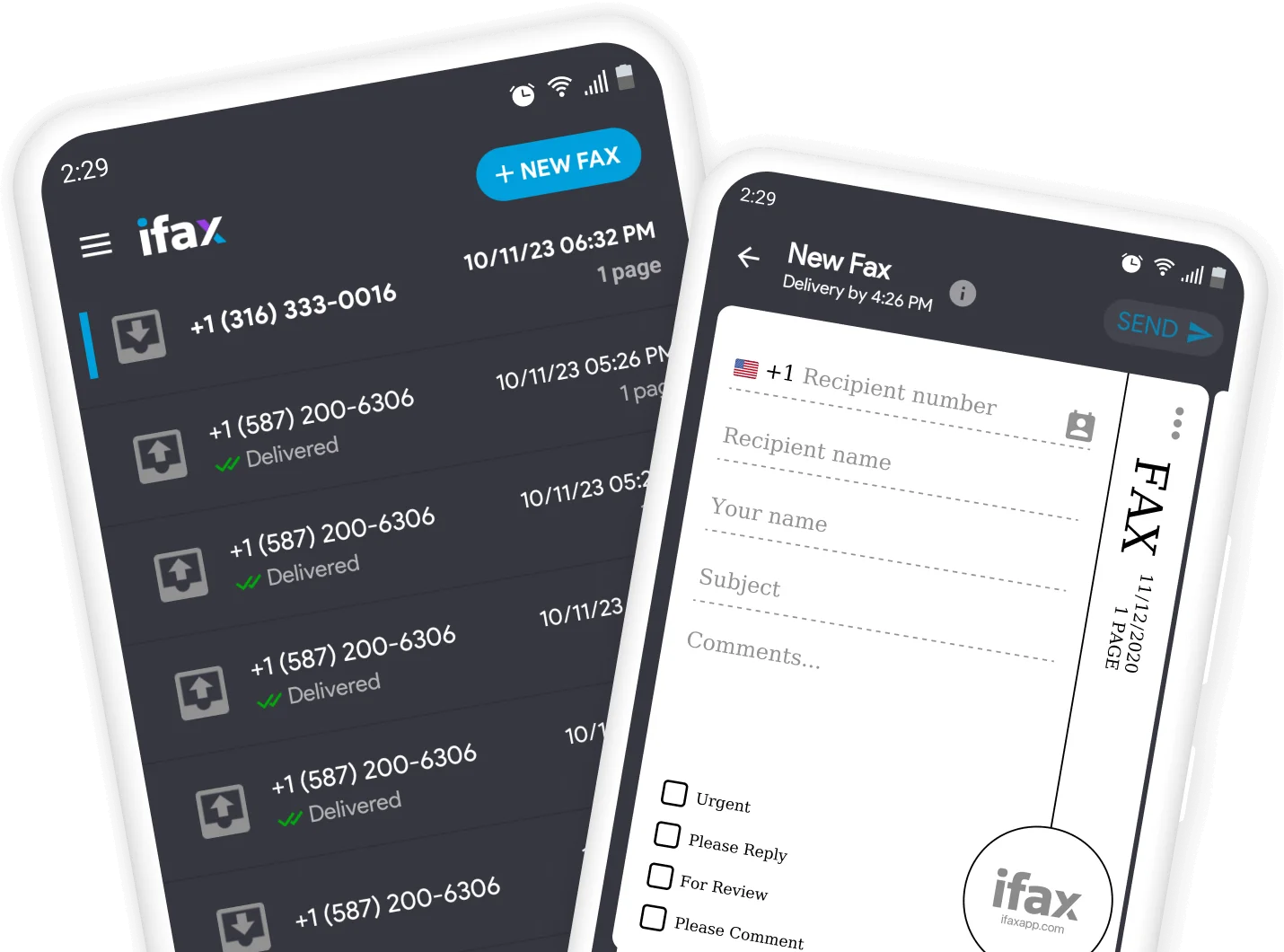
iFax is a feature-rich mobile fax app built for professionals and businesses that need more than basic faxing. It combines ease of use with advanced tools for managing documents, automating workflows, and handling high-volume faxing.
Fast setup for business workflows
The app is free to download on iOS and Android for quick onboarding.
Setup is fast, even for users managing business accounts.
Structured interface for multi-tasking
The interface stays clean while supporting advanced features.
The layout is designed to support heavier business usage without clutter.
Advanced fax features for professionals
The app supports broadcast faxing for sending to multiple recipients at once.
It integrates with cloud storage platforms for easier file access.
It includes fax automation tools for repetitive workflows.
It supports document signing for approvals and digital workflows.
Reliable performance at scale
Fax delivery remains fast and stable, even with large files.
It handles high-volume faxing without noticeable slowdowns.
Strong security and compliance standards
All transmissions are encrypted to protect sensitive data.
The platform supports industry compliance standards for professional use.
It is suitable for healthcare, legal, and enterprise environments.
Higher pricing aligned with advanced features
Pricing is higher than basic fax apps due to its business-focused tools.
Plans reflect added value from automation and integrations.
It is best suited for users who need more than standard mobile faxing.
MyFax
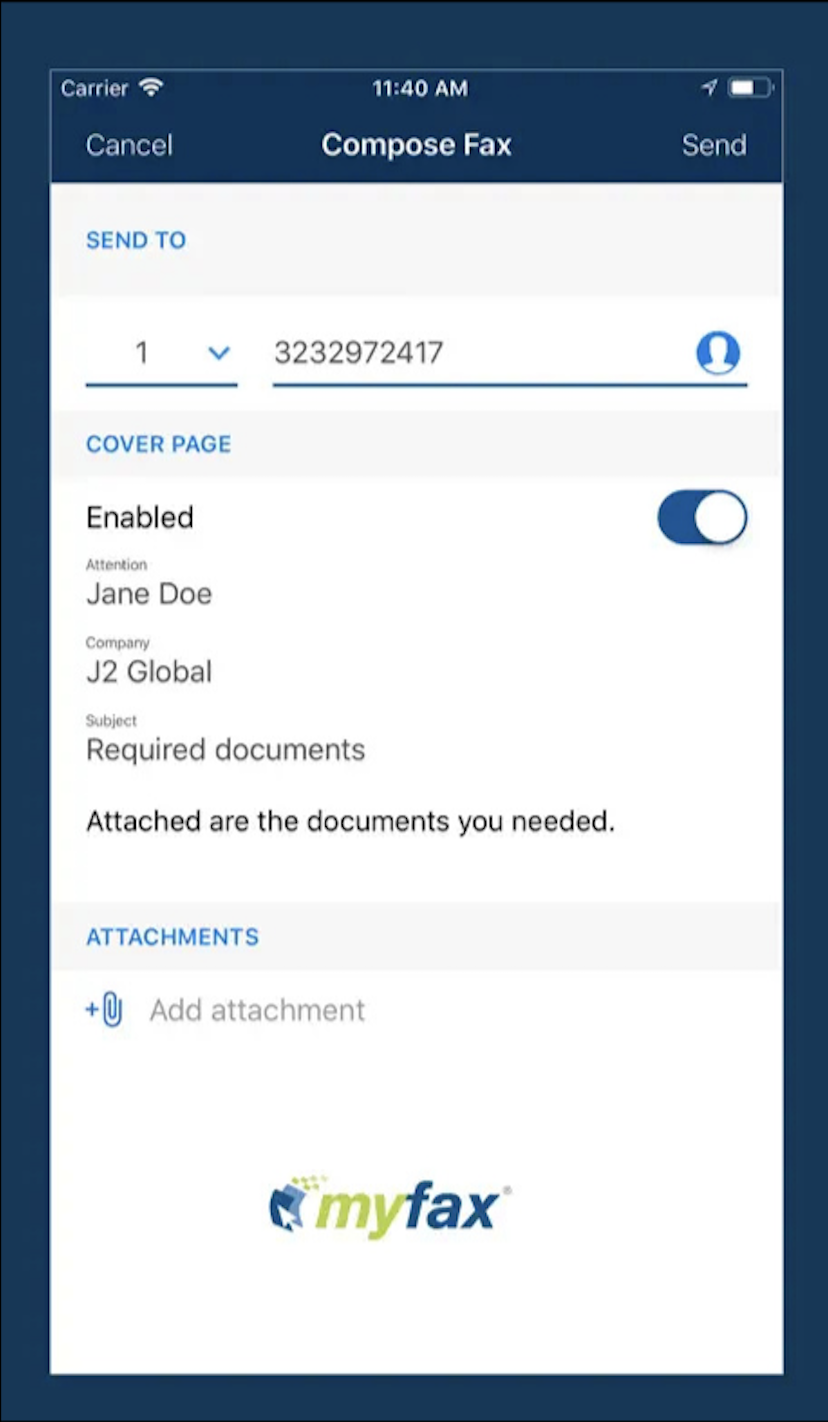
MyFax is a reliable mobile fax app designed to handle basic faxing needs with minimal setup and low cost. It’s best suited for users who want straightforward functionality without extra complexity or advanced features.
Simple setup and basic interface
The app is free to download on both Android and iPhone.
Setup is quick and requires no technical configuration.
The interface is functional, though it feels slightly dated compared to newer mobile fax app options.
Stable fax sending performance
Fax transmissions are generally consistent and dependable.
The app handles standard sending tasks without major delays.
Performance is smooth enough for occasional personal or light business use.
Affordable pricing for basic use
Plans start at around $5 per month, making it one of the lower-cost mobile fax app options.
Pricing is focused on essential faxing rather than advanced features.
It’s a budget-friendly choice for users with simple faxing needs.
eFax
eFax is a well-known mobile fax app used by professionals and businesses that need reliable, established faxing services. It’s built for users who prioritize stability and broad functionality over modern design trends.
Quick setup on mobile devices
The app installs quickly on both iOS and Android devices.
Functional but dated interface
The interface is clean and easy to navigate for core tasks.
The design feels slightly outdated compared to newer mobile fax app alternatives.
Usability remains solid despite the lack of a modern visual refresh.
Business-focused fax features
The app supports cloud integration for easier file access and storage.
It allows multi-page faxing for larger documents and workflows.
It includes document management tools suited for heavier professional use.
Faxify
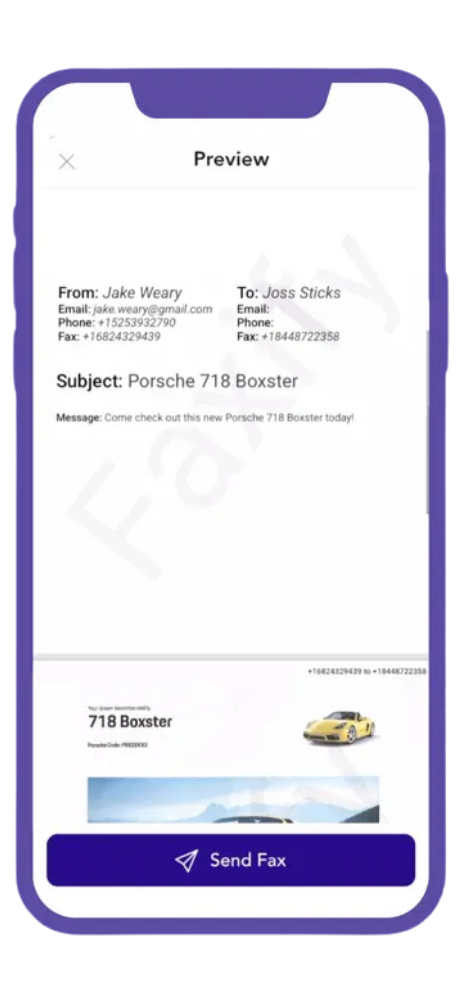
Faxify is a solid and easy-to-use fax app for phone users on both iOS and Android. It focuses on simplicity and reliability, making it a good fit for users who want straightforward mobile faxing without unnecessary complexity.
Clean and intuitive mobile interface
The app features a modern, clean design that makes navigation simple.
The layout is optimized for quick access to essential faxing tools on a fax app for phone.
Smooth document handling and integrations
Users can scan documents directly using their phone camera.
File uploads are supported for quick document sending from device storage.
Cloud integration helps streamline access and document management.
Secure and reliable faxing
Transmissions are protected with encryption to secure sensitive data.
Standard compliance measures are in place for safer document handling.
Affordable pricing for everyday users
Pricing is positioned as competitive and budget-friendly.
It’s a practical choice for occasional users who don’t need advanced business features.
The cost structure suits users looking for a simple fax app for phone without ongoing high expenses.
Frequently Asked Questions
What is the best app to send a fax?
The best fax app in 2026 depends on your needs and budget. If you're looking for a reliable fax app for phone users, top options include Fax.xyz, iFax, MyFax, eFax, and Faxify. These services offer secure faxing, cloud storage integrations, and support for both personal and business use. The best faxing app for you will depend on factors like pricing, ease of use, and advanced features.
Are fax apps available for both iPhone and Android?
Yes. Most leading fax services offer a mobile fax app for both iPhone and Android devices. Whether you're using an iPad, Samsung Galaxy, or another smartphone, you can send and receive faxes on the go without needing a physical fax machine.
Are online fax apps secure?
Yes. Reputable fax services use encryption to protect documents during transmission. Some providers also offer HIPAA-compliant solutions for healthcare professionals and businesses handling sensitive information. When choosing the best fax app, it's important to consider security features alongside pricing and ease of use.
What file types can I send with a mobile fax app?
Most mobile fax apps support popular file formats, including PDF, DOC, DOCX, JPG, PNG, and TIFF. Many services also integrate with Google Drive, Dropbox, OneDrive, and iCloud, making it easy to upload and fax files directly from cloud storage.
Choosing the Best Fax App
The best mobile fax apps of 2026 strike a balance between reliability, speed, and usability. Some apps impress with sleek design, fast performance, and a feature set that goes beyond the basics, while others prioritize simplicity and cost-efficiency without compromising reliability.
No matter which type of user you are, these top-rated apps provide secure, intuitive, and consistent faxing right from your phone. From scanning and sending documents to cloud integration and advanced management tools, modern mobile faxing has become both practical and versatile.





.svg)